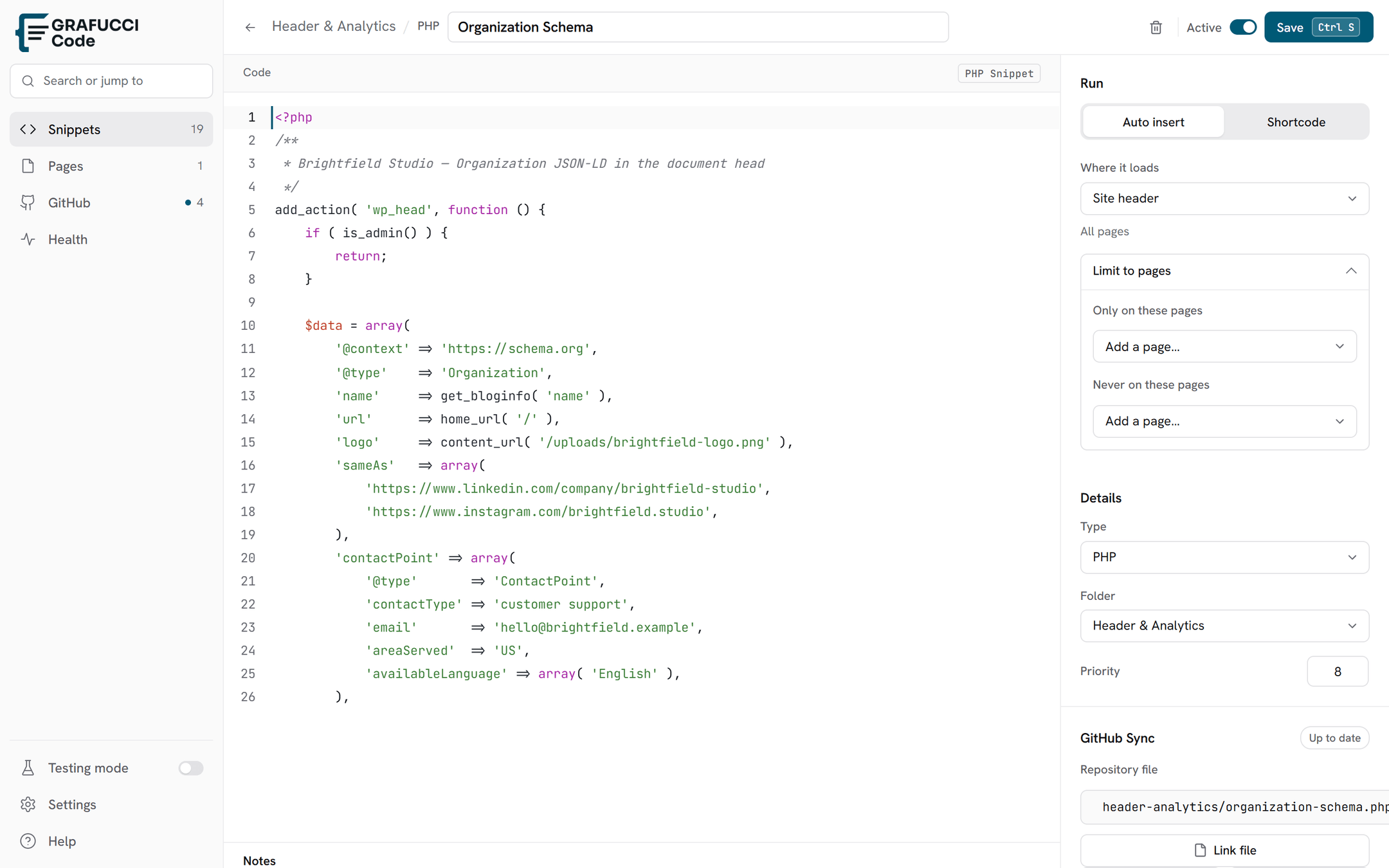

Display conditions
Control exactly where auto-insert snippets run using include/exclude page chips — similar to Elementor display conditions.
- Only run on (include)
Add one or more pages or posts as chips. The snippet runs only on those URLs when its location allows.
- Do not run on (exclude)
Add skip chips for pages where a broader location would otherwise include the snippet — useful for “everywhere except checkout”.
- Section scoping
Limit execution to a page tree — for example, only inside a docs section or client area.
- Polylang
When Polylang is active, page pickers show per-language fields so each translation can be targeted separately. See Multilingual with Polylang.
A summary line such as “All pages except …” appears when exclude rules are set.