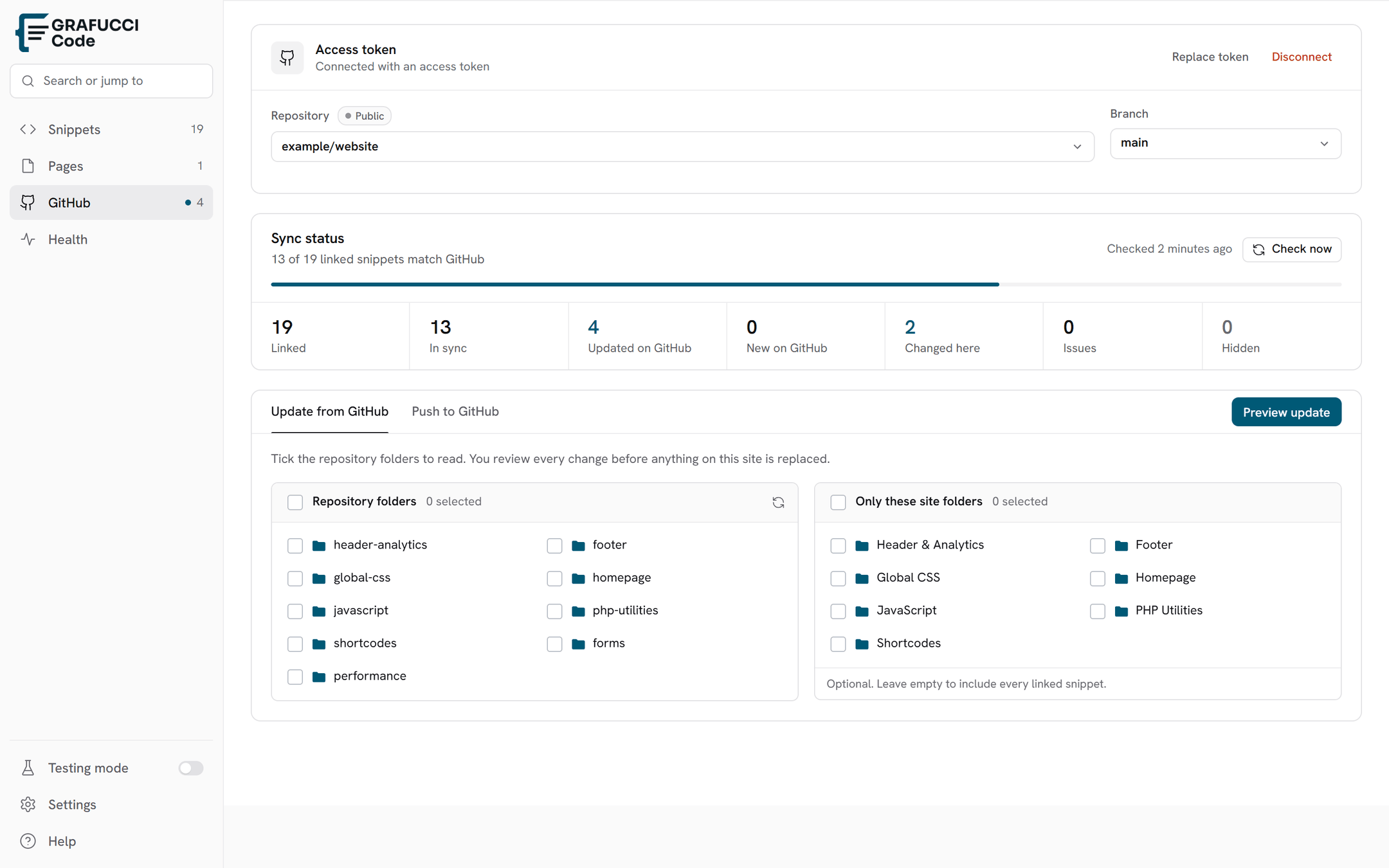

Pull & push
Pro feature. Sync is manual from Grafucci Code → GitHub Sync — you choose when WordPress and GitHub exchange changes.
- Check
The refresh control on the repo row compares WordPress with GitHub and does not apply changes. The same check is in the plugin header.
- Update from GitHub
Tick repository folders to scan, and optionally tick WordPress folders so only snippets already stored there are updated. Leave the WordPress side empty to update every linked snippet. Large folders open a review instead of stopping silently.
- Review, then apply
Changed files use a red and green changes-only diff. Apply stays disabled when nothing changed. If some files apply and others fail, the review stays open.
- Push to GitHub
Type a commit message, then push. Linked snippets that changed on the site are sent with that message. Unchanged snippets and files where GitHub is newer are skipped. Tick a folder under This site to limit which snippets are included. Leave them unticked to push every linked change. Each changed file is committed with the message you typed.
- One snippet
On a linked snippet, the GitHub card has Preview Pull and Push for that file only. Disconnect is the red action on that card.