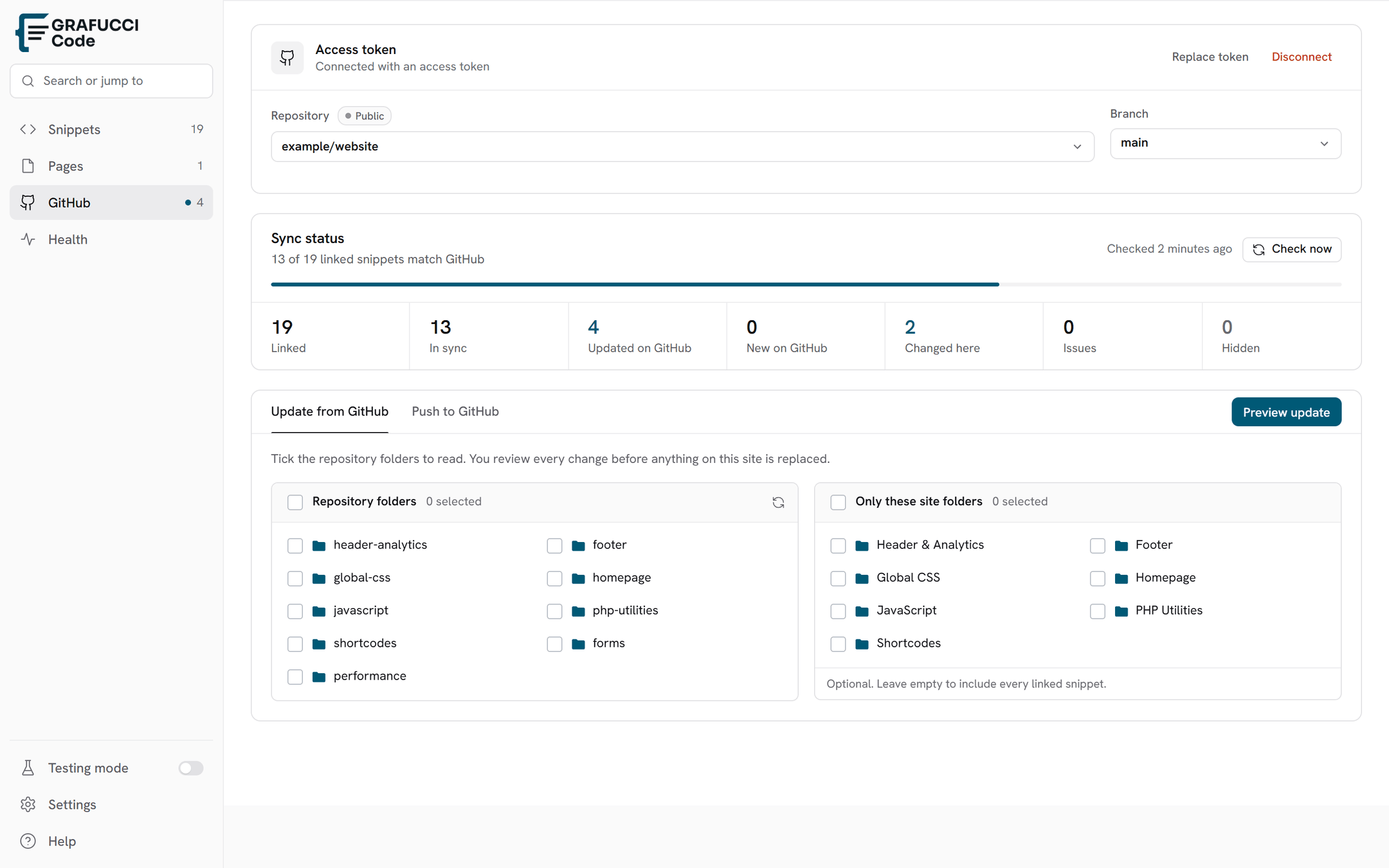

Sync status
Pro feature. Counts stay quiet. Linked and In sync sit apart from Behind and New, so the numbers that need action are easy to see.
- Linked — the snippet is tied to a GitHub file
- In sync — WordPress and GitHub match. These two sit apart from the counts that need action
- Behind — GitHub is newer; review before you update WordPress
- New — a GitHub file is not linked yet
- Local only — edited in WordPress and not on GitHub yet
- Issues — a sync error or a missing file
- Hidden — you hid a file from this list. It stays on GitHub. If you delete that file on GitHub, it leaves this list after you check status