
Installation
Install the Grafucci Code plugin ZIP, activate it once, and open the Grafucci Code menu in wp-admin.
-
Download the ZIP
Register for Free on Pricing (Freemius checkout), then install the ZIP Freemius provides. Same file for free and licensed use.
-
Upload the ZIP
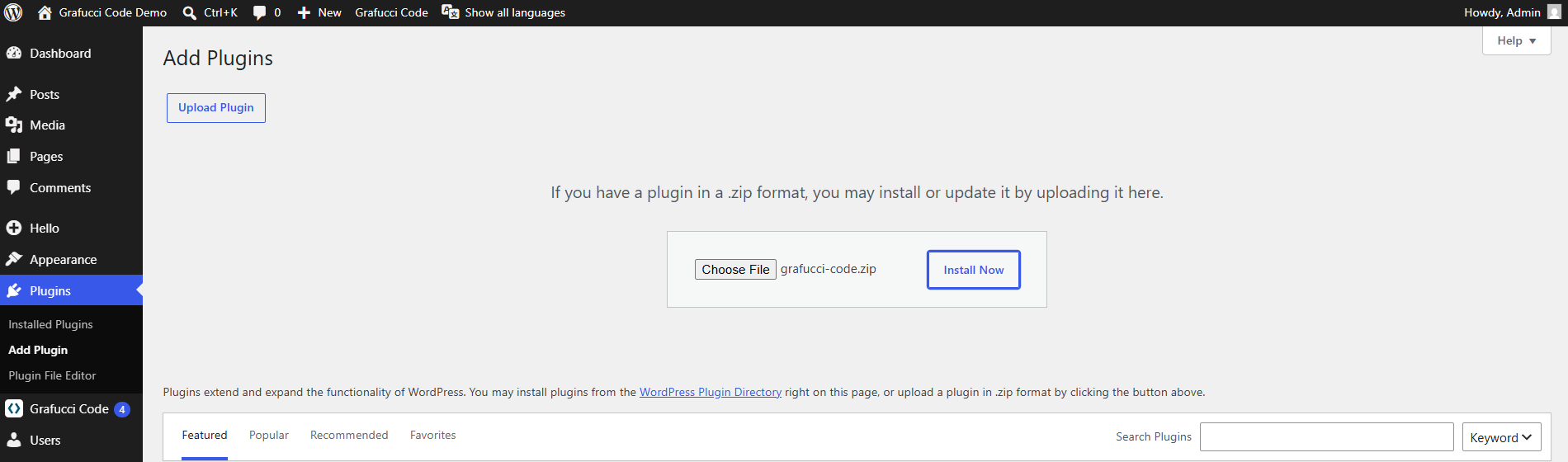
In WordPress, go to Plugins → Add New → Upload Plugin. Choose grafucci-code.zip and install.
-
Activate
Click Activate after installation completes. Database tables are created on first activation.
-
Open Grafucci Code
Find Grafucci Code in the left admin menu. The dashboard shows snippets, folders, and quick actions.
Tip
- Test on staging or local before activating PHP on production.